
If you run Nextflow at scale, you have almost certainly paid to compute the same thing twice. Maybe you renamed a process during development. Maybe a colleague ran a different pipeline over the same samples you aligned yesterday. Maybe you launched fifty runs of a parameter sweep that all begin with identical preprocessing. Nextflow's -resume was designed to make a single run fast and reliable to restart, and it does that very well. But these cases sit outside a single run's work directory, so the task cache can't see them. The result is wasted compute, wasted time, and wasted storage, as identical outputs pile up in work directory after work directory.
Today we're announcing Nextflow Global Cache: a shared caching layer that lets tasks be reused across runs, across pipelines, and across projects. If a task with the same inputs and the same script has already run anywhere in your workspace, Nextflow restores its outputs instead of running it again, and stores them once instead of many times.
Today: Tasks Isolated Per-Run
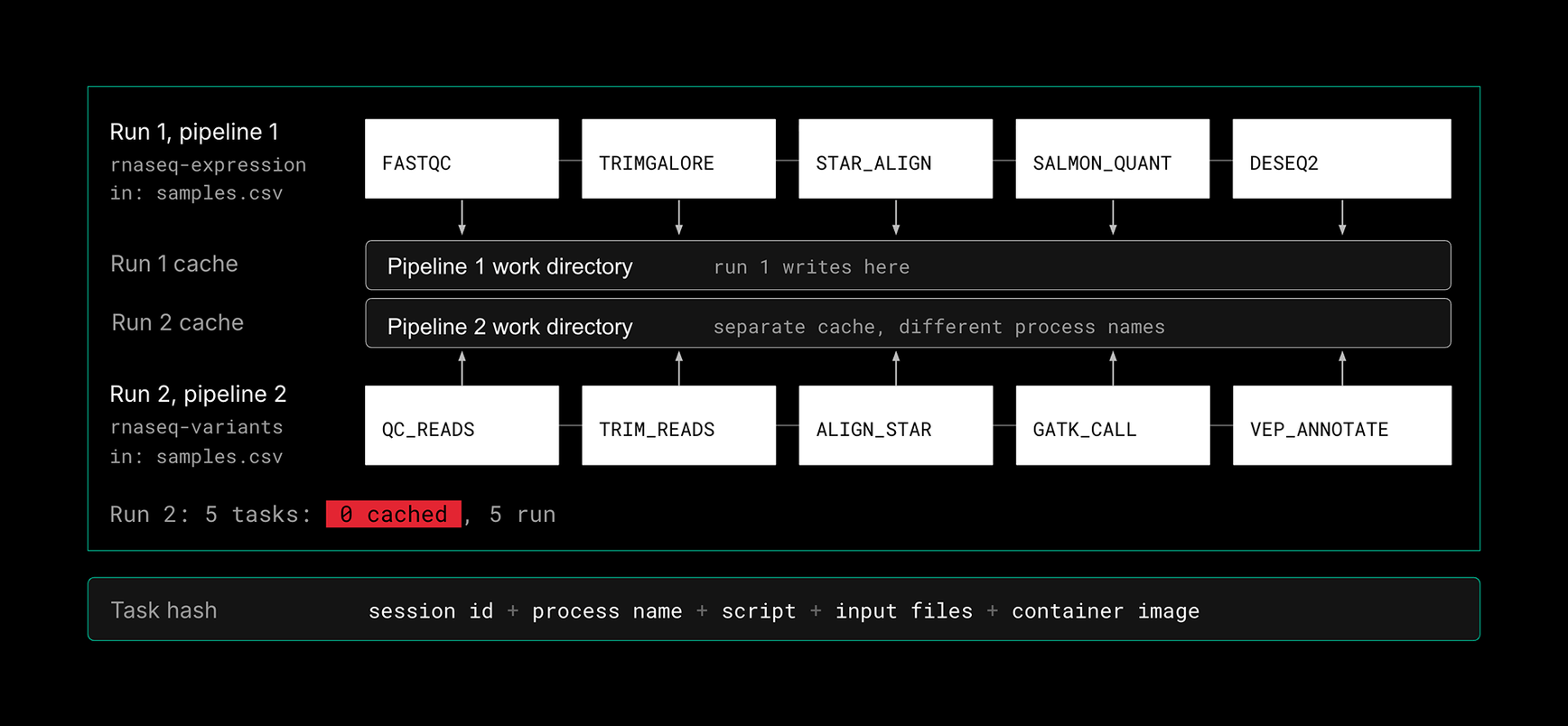
Nextflow decides whether a task can be skipped by computing a hash. Today that hash includes the task's inputs and script, but also the session ID and the process name. That makes the cache reliable within a run, and it is what makes -resume work so well. It also means a task can never be recognised as "the same" outside the run that produced it.
Consider two pipelines run one after the other on the same samples.csv. They share their first three steps, but each pipeline names those processes differently and writes to its own work directory. Because the session ID and process names differ, none of the hashes match. Nothing is shared, and all 10 tasks run, including three that produce outputs that already exist on disk.
Global Cache: Tasks Reused Across Runs
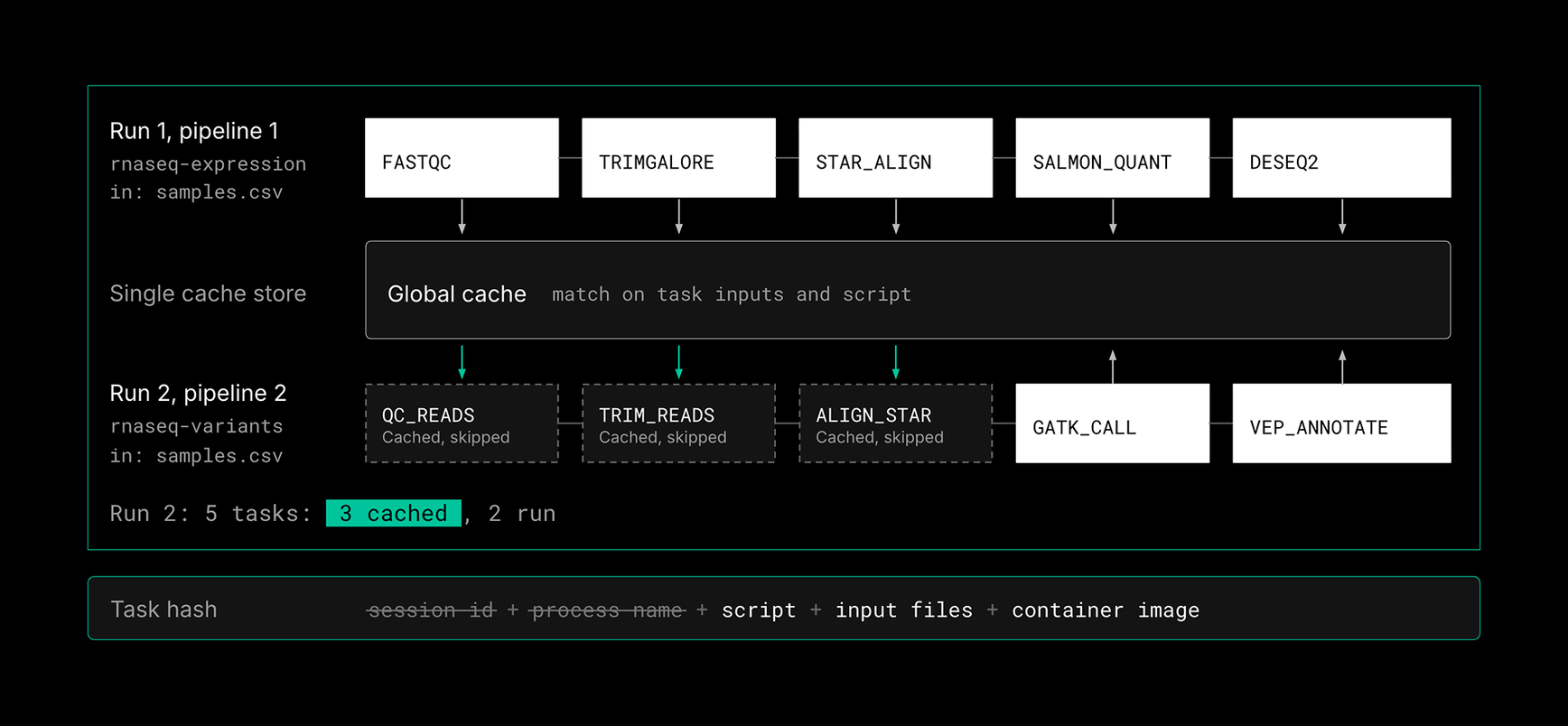
With Global Cache enabled, the task hash keeps only what actually determines a task's output: its inputs and its script. The session ID and process name drop out. Every run in the workspace now looks up the same shared cache, whether or not you pass -resume.
Run the same two pipelines again. Pipeline 2 still names its shared steps differently, but the first three tasks now produce matching hashes. Nextflow restores their outputs from the cache instead of recomputing them. Pipeline 2 runs 7 tasks and skips 3, and those three outputs exist on disk once rather than twice. No pipeline code changes are needed. The pipelines don't need to know about each other, and the developer doesn't need to coordinate process names or work directories.
Identical Tasks Run Once, Then get Reused
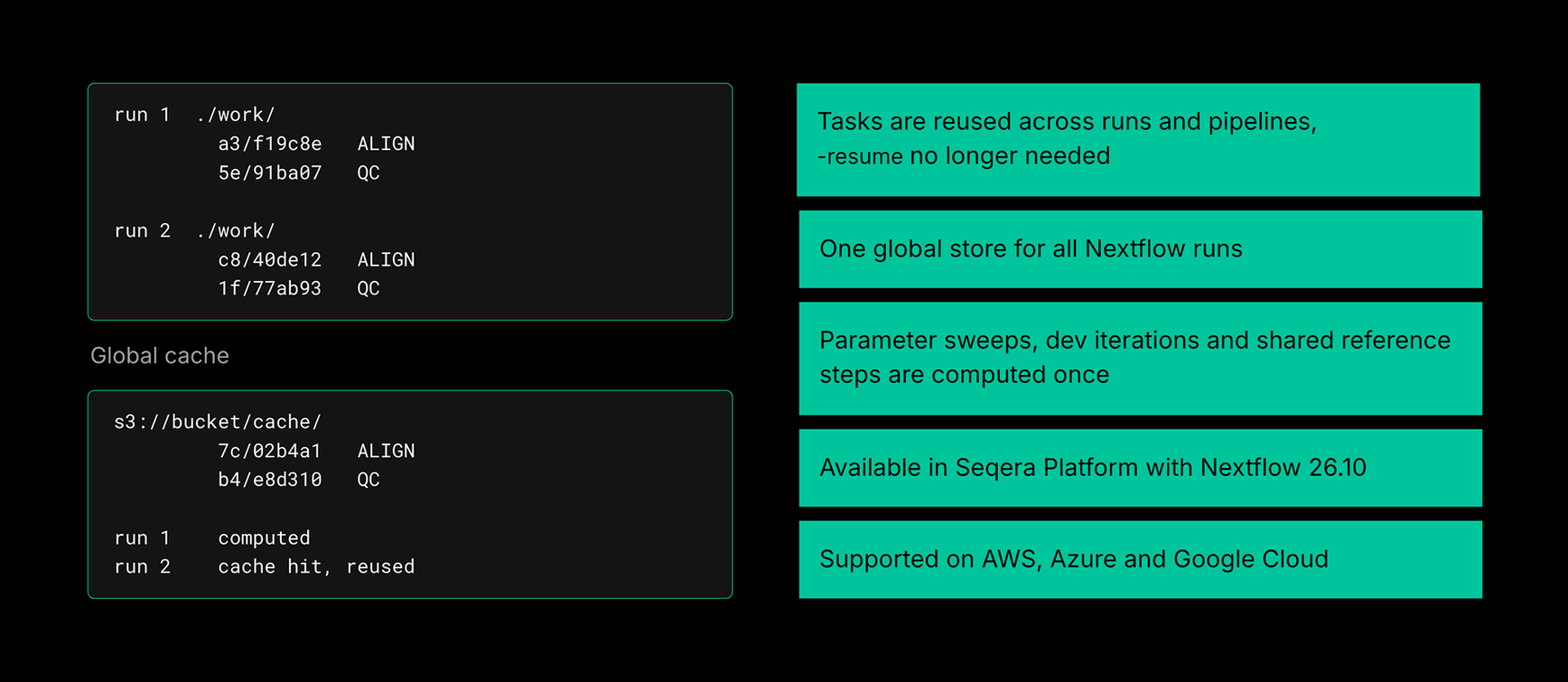
The cache no longer stops at the edge of a run. It works across runs and across pipelines, not just within one run with -resume. The biggest wins come wherever the same work keeps coming back:
- →Parameter sweeps. Dozens of runs that differ only in downstream settings share all of their upstream steps. Those steps now run once.
- →Reference genome preparation. Indexing and building references is expensive and repeated constantly. Do it once per workspace.
- →Incremental cohort analysis. When new samples join a cohort, only the new samples are processed. Existing results are restored.
- →Multi-user work on shared data. Two scientists running different pipelines over the same dataset stop paying for the same preprocessing twice.
- →Iterative pipeline development. Rename a process, refactor a subworkflow, or swap pipelines entirely, and unchanged tasks still hit the cache.
💡 Note: If every run processes genuinely new data with new scripts, there is nothing to reuse, and Global Cache won't change your costs. Global Cache is supported on AWS, Azure and Google Cloud.
Compute Once, Reuse Everywhere
- →Global Cache changes what a cache hit means. Instead of only rescuing a failed run, it lets your whole organization build on work that has already been done.
- →Lower compute costs. Higher cache-hit rates mean far fewer tasks run, which in some workloads cuts compute dramatically.
- →Faster results. Skipped tasks finish instantly, so sweeps, re-runs and new cohort samples come back sooner.
- →Less storage. Identical outputs are stored once, not copied into every work directory.
- →Freedom to iterate. Developers can rename, refactor and switch pipelines without throwing away cached work.